

Write formal letters with AI assistance

Answer guided questions, review the draft on your phone and export the finished document as a PDF.

Download on the App StoreGet it on Google Play
22
Output languages
PDF
Export format
AI
Draft assistance
Petition Bot mobile app
Petition Bot

Start with the details, not a blank page

01

Petition Bot is an AI-assisted formal letter writer that turns guided information into a draft you can review on your phone.

02

You can provide the document type, recipient, subject, facts, desired outcome, reference details, attachments and contact information, then export the finished draft as a PDF.

03

The general template supports 22 output languages, and Petition Bot is free to get started.

What Petition Bot helps you prepare

Use Petition Bot when you need a structured formal letter rather than a blank page. The general flow can be used for requests, complaints, appeals, applications and other official-style correspondence without assuming one country's legal format.

  • Choose the document type and output language.
  • Name the recipient and country or region when relevant.
  • Describe what happened, what you want and any dates or reference numbers.
  • Add attachment details and your contact information when they belong in the letter.
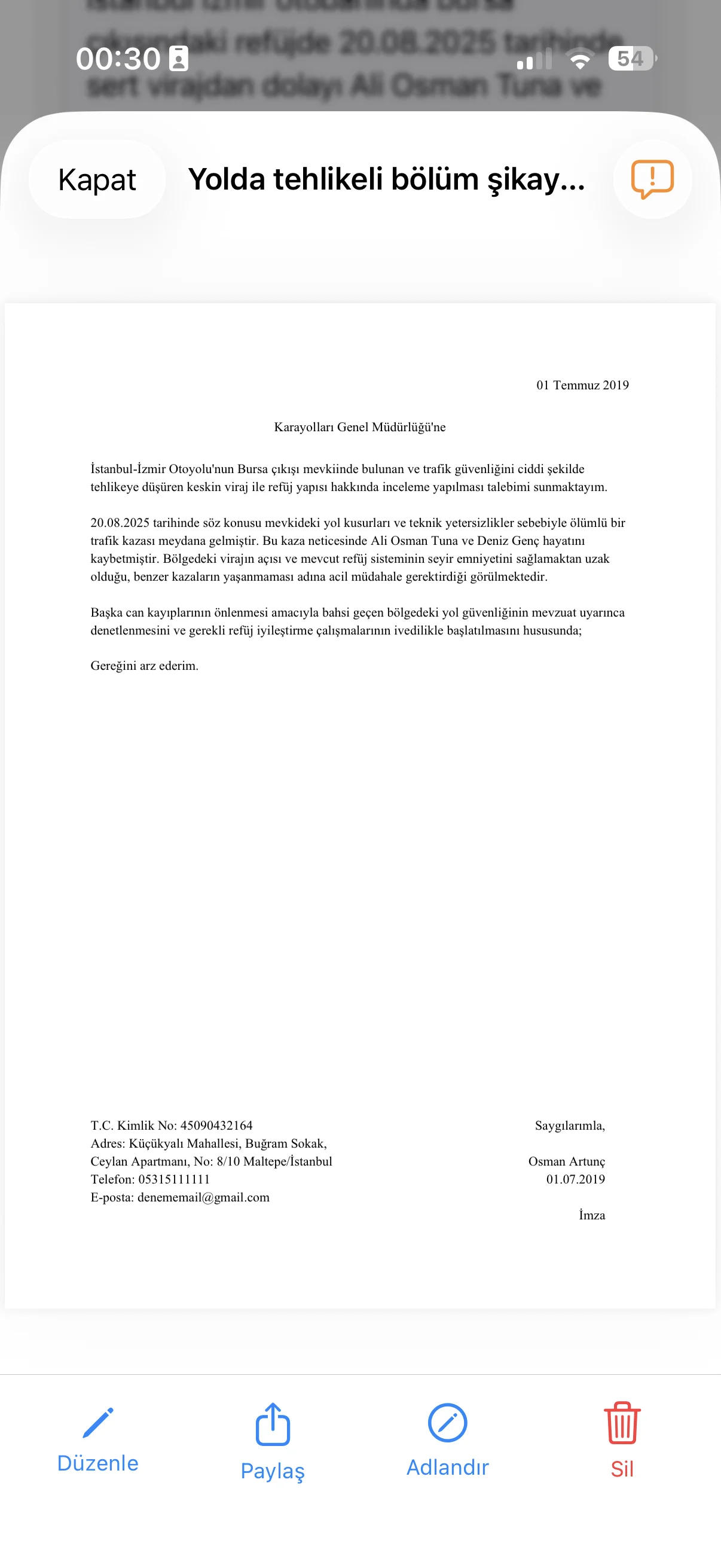
  • Review the generated draft and export it as a PDF.
Where the AI stops

The app organizes the information you provide; it does not know whether a recipient requires a particular form, evidence, deadline or wording. Treat the result as a draft and check the receiving organization's current instructions before you send it.

Example

Fillable formal letter outline

A simple starting structure is:

Recipient: [organization, office or person]

Subject: [one-line reason for writing]

Situation: [the relevant facts in date order]

Request: [the specific action or response you want]

References or attachments: [numbers, documents or evidence, if any]

Closing: [name, contact details and document date]

Guides

Practical help for formal letters

Structure, examples and focused guides for common formal-letter tasks.

Guide

How to Write a Formal Letter (Structure + Example)

Learn the standard structure of a formal letter, see a practical example and turn your details into a clear document draft.

Read guide →
Guide

How to Write a Request Letter

Learn how to write a clear request letter with the right recipient, reason, requested outcome, reference numbers and attachments.

Read guide →
Guide

How to Write a Complaint Letter

Learn how to write a complaint letter with facts, dates, what went wrong and the remedy you want, plus a practical example.

Read guide →
Guide

How to Write an Appeal Letter

Learn how to write an appeal letter that identifies the decision, explains your grounds and clearly asks for a review.

Read guide →
Guide

How to Write a Letter to a Government Office

Learn how to write a clear letter to a government office with the recipient, reference details, identity information and request.

Read guide →
Guide

What Is a Dilekçe? Turkey's Formal Application Letter

A dilekçe is Turkey's formal written application, request, complaint or objection to an institution. Learn what the term means and what it is not.

Read guide →
Guide

Write a Formal Letter on Your Phone

Write a formal letter on your phone by answering guided questions, reviewing the draft and exporting the finished document as a PDF.

Read guide →
Guide

Free AI Letter Writer: What Petition Bot Does and Doesn't

See what Petition Bot's AI letter writer can and cannot do, which document details it uses, supported languages and how PDF export works.

Read guide →
App screens

A simple mobile workflow

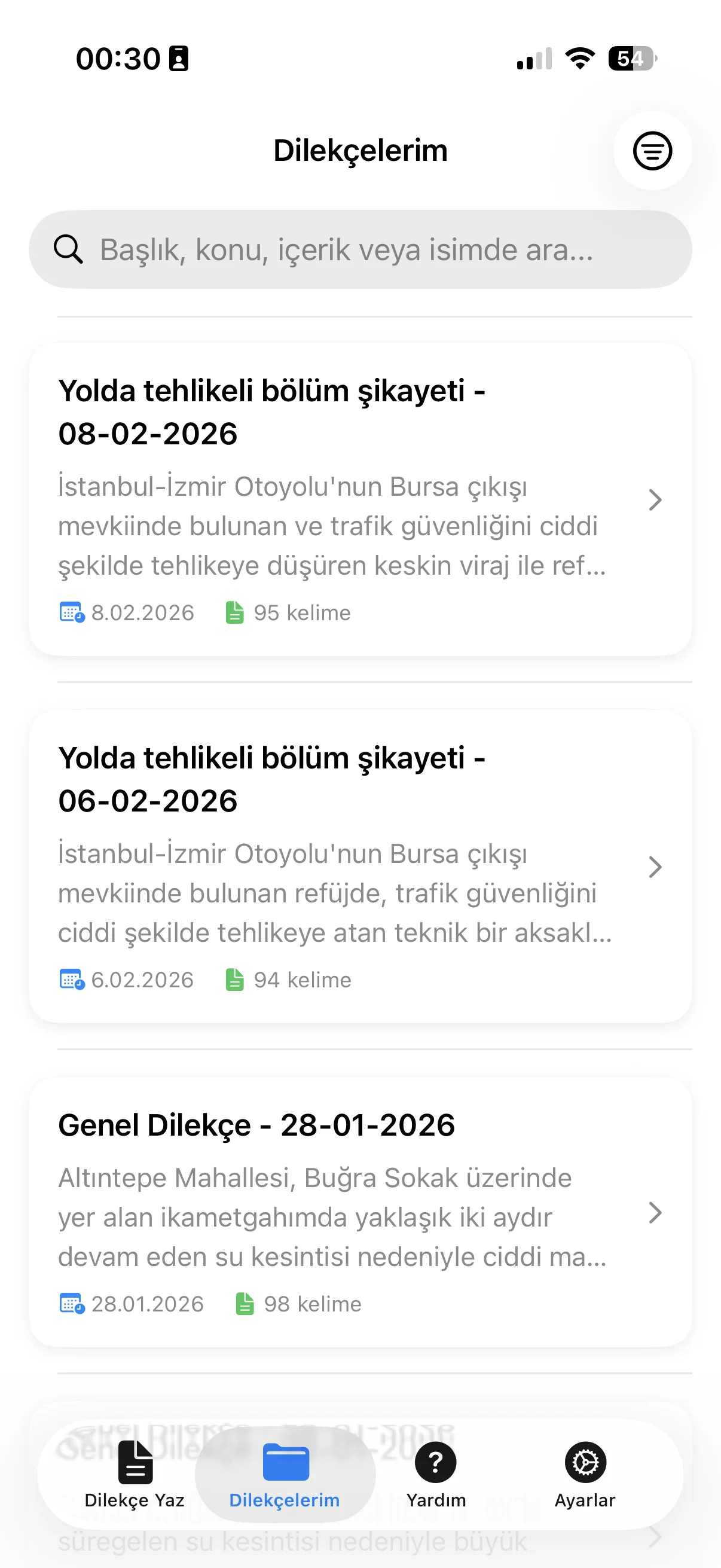
Choose, answer, review and keep your document drafts in one place.

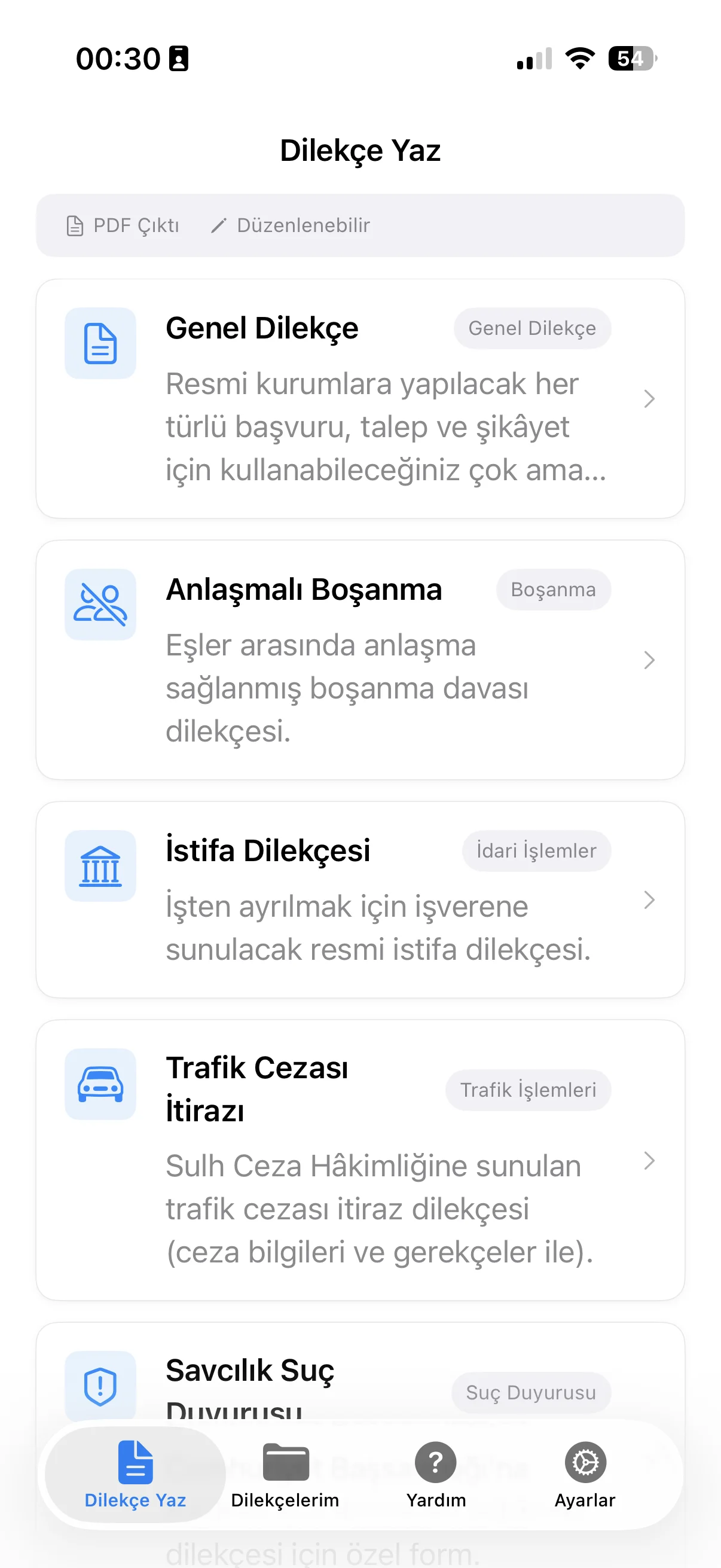
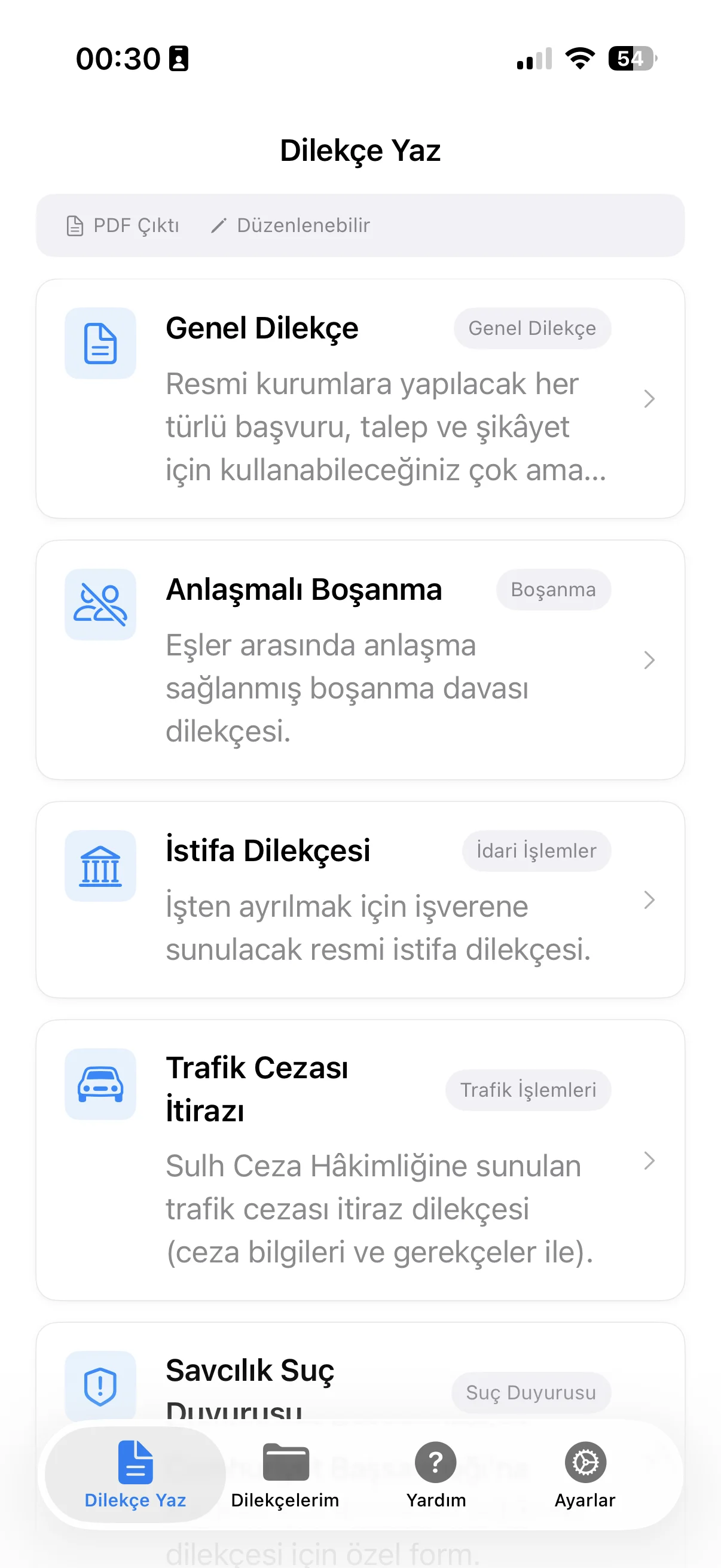
Choose a document type

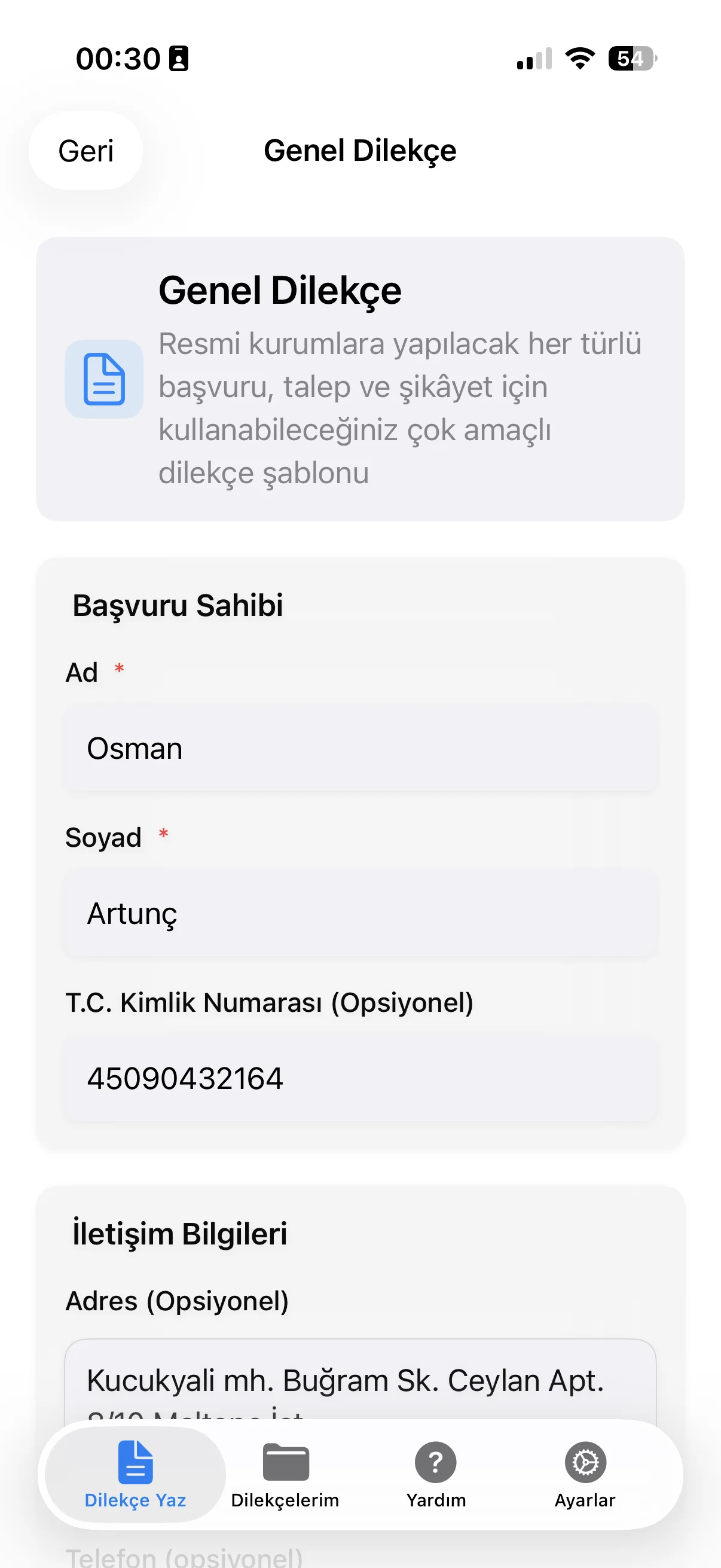
Choose a document type

Enter the details

Enter the details

Review and export PDF

Review and export PDF

Keep drafts together

Keep drafts together

What you provide

The important details, one field at a time

Petition Bot turns structured answers into a draft you can review.

01

Document type

Choose the kind of formal document you want to draft.

02

Recipient

Enter the office, organization or person receiving the letter.

03

Situation and request

Describe what happened and what you are asking for.

04

Desired outcome

State the result or response you want from the recipient.

05

Writing tone

Select the tone used to shape the draft.

06

PDF export

Export the reviewed draft as a PDF.

How it works

From answers to PDF in 4 steps

01

Choose the document type

Start with the kind of formal letter or request you need.

02

Answer guided questions

Add the recipient, subject, facts, references and desired outcome.

03

Review the draft

Read the AI-assisted draft on your phone and edit anything that needs changing.

04

Export the PDF

Finish the document and export the reviewed draft as a PDF.

FAQ

Frequently asked questions

What can I write with Petition Bot?

The general flow is designed for formal document drafts such as request letters, complaint letters, appeal letters and letters to institutions or government offices.

How many output languages does the general template support?

The general template supports 22 output languages. The language is selected as part of the document setup.

Does Petition Bot send the letter for me?

No. Petition Bot prepares a draft for you to review and export; you decide how and where to submit it.

Can I include reference numbers and attachments?

Yes. The general form includes fields for reference numbers and attachment details when those are relevant to the document.

Is Petition Bot free?

Yes. Petition Bot is free to get started.

Important: Petition Bot uses AI to help prepare document drafts from the information you enter. It does not provide legal advice and cannot verify that a draft is accurate, complete, current or accepted by any recipient. Requirements vary by country and institution, so review the document and confirm any applicable rules before sending it.

Published: 2026-09-05

Petition Bot

Draft formal letters on your phone

Petition Bot is free to get started. Review your draft before you export it.

Download on the App StoreGet it on Google Play