
Mobile workflow
Write a Formal Letter on Your Phone
Petition Bot lets you prepare a formal letter on your phone by answering guided questions instead of formatting a document from a blank screen.


Published: 2026-09-05
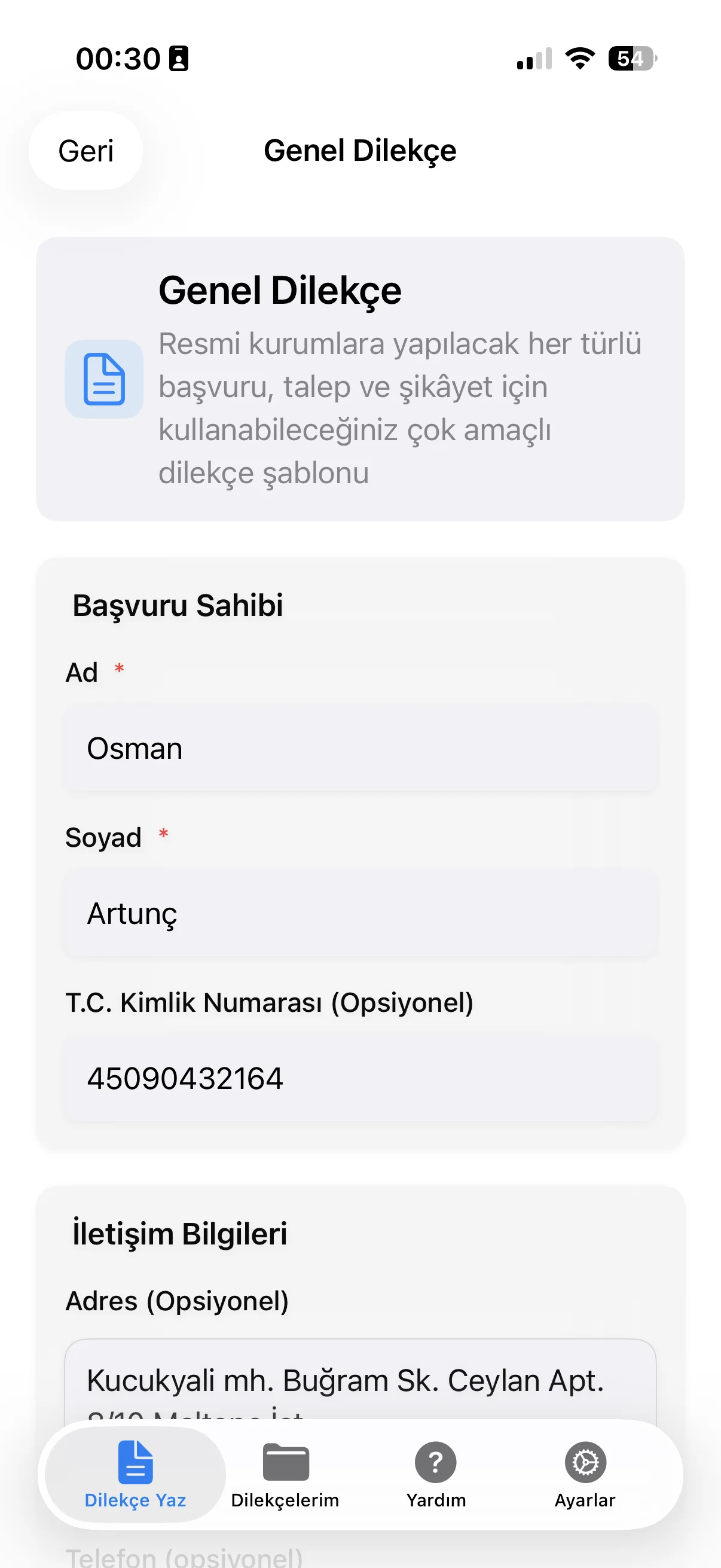
Petition Bot lets you prepare a formal letter on your phone by answering guided questions instead of formatting a document from a blank screen.
After the draft is generated, you can review it on the device and export the finished document as a PDF.
The mobile flow is best treated as a drafting workflow: check names, dates, references and the requested outcome before using the exported file.
Guided fields for a reviewable draft
Guided mobile flow
Answer document questions directly on your phone.
PDF export
Export the reviewed document draft as a PDF.
From questions to a reviewable draft
The phone workflow breaks document preparation into smaller inputs, which is useful when the important information is scattered across messages, notes or records. Enter the details carefully, then read the generated text as one complete letter before exporting it.
Review before PDF export
A polished PDF can still contain an incorrect name, date or reference if the source information was wrong. Use the review step to check factual details and remove placeholders or unnecessary text before creating the final file.
Phone drafting checklist
Before exporting, confirm these items on screen:
Recipient: [correct office, organization or person]
Subject: [matches the purpose of the letter]
Facts: [names, dates, places and references checked]
Request: [the desired outcome is explicit]
Closing: [sender details are complete]
PDF: [final draft reviewed before export]
Frequently asked questions
Can I write the whole letter on my phone?
Yes. Petition Bot's workflow is designed for mobile input, draft review and PDF export.
Do I need to format the document manually?
The app creates a structured draft from the information you provide, so you can focus on checking the content rather than starting with a blank document.
Can I review the draft before exporting?
Yes. The workflow includes a review step before the document is exported as a PDF.
What should I check on a phone-sized screen?
Check names, dates, references, recipient details and the exact request, then read the complete draft once more before export.